
Make booking straightforward
Let guests choose an available date, time and party size on your restaurant’s booking page.
Built around the working day
Let guests choose an available date, time and party size on your restaurant’s booking page.
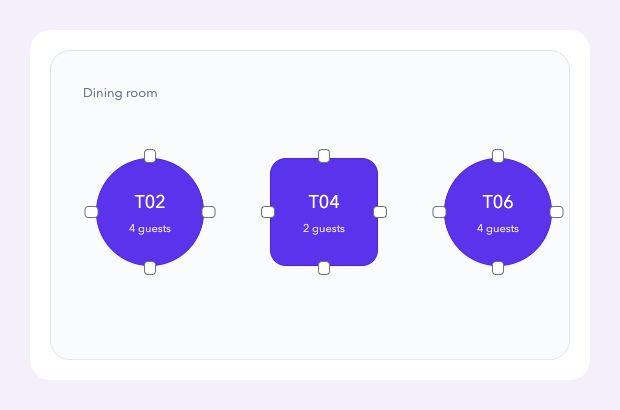
Set service times, booking durations, table capacities and combinations around your room.
See arrivals, walk-ins, waiting parties and table moves in the same shared view.
How the work connects
Review expected covers and useful requests before service. As guests arrive, keep table progress, walk-ins and booking changes in a shared host view.
The team can work from current booking and table information.
An example workflow. Explore your restaurant’s setup in a demo.A branded booking page, live availability, service-hour controls, manual reservations and booking-management links.
Rooms, table capacities, combinations and reviewed layout changes support the way your restaurant serves.
Manage arrivals, seating, walk-ins and waiting parties. Confirm any external waitlist messaging during setup.
Keep group enquiries, proposals and service arrangements connected through a managed rollout.
A closer look at the workflow
A guest needs a different time. The host needs to understand what that means for the room. Keep the guest action and the service decision connected.
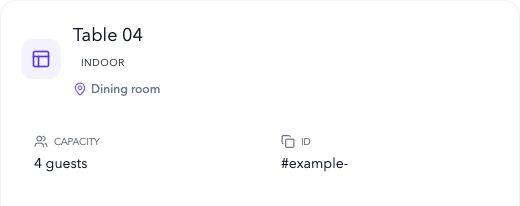
The guest opens the booking-management link and sees the actions permitted for that reservation. Available changes follow your restaurant’s configured rules.
Guest → current booking detailsThe host reviews the current reservation against live availability and the floor plan. Arrival windows, larger parties and table combinations stay part of the service decision.
Host → table and arrival planRecord arrivals, seating and relevant changes where the team manages service. The next colleague can review the booking alongside table progress and waiting parties.
Service team → shared working viewConnected Findsy workflows
Getting started
Start with the workflow you need. Review your current records, configure the restaurant and rehearse with the team before launch.
Your practical questions
Bring any venue-specific requirement to the demo so the team can confirm the available workflow and setup.
Yes. The team can create manual reservations alongside direct online bookings and manage them through the service view.
Available amendments and cancellations depend on the booking’s status and your configured policies. Review the permitted actions during setup.
The host can manage walk-ins, arrivals and waiting parties with the floor plan. Confirm any external waitlist messaging separately during setup.
Your 15-minute Findsy demo
Bring one current challenge. Walk through the relevant guest and team views, then discuss your starting point.
Book a 15-minute demo →Follow a guest from availability to confirmation.
Review the floor plan, arrivals and a booking change.
Discuss your room, rules and switching requirements.