Start with the guest
Choose an audience using available visit history, preferences and communication permissions.
Built around the working day
Choose an audience using available visit history, preferences and communication permissions.
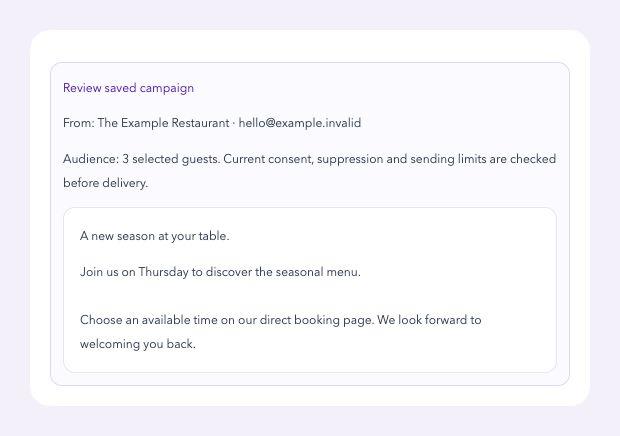
Prepare restaurant-branded email, review the content and check a preview before sending.
Link guests to your direct booking journey and review the results available for the campaign.
How the work connects
Choose the occasion, review an eligible audience and prepare the campaign. Check the message and links before authorised sending, then review the evidence available.
A restaurant-led invitation gives guests a direct route to book again.
An example workflow. Explore your restaurant’s setup in a demo.Build suitable lists and segments using available visit and preference information, with consent and suppression checks.
Compose email, review previews and prepare assisted drafts where the provider is configured. Your team approves the message.
Review and send through the configured service. Campaign delivery requires venue and sender setup.
Review delivery, engagement and available booking attribution. An attributed reservation does not establish the final value of a completed visit.
Automated guest journeys have separate activation controls. The current offering described here is reviewed restaurant campaigns.
A closer look at the workflow
Start with a real reason to visit, such as a seasonal menu. Prepare the audience, message and booking destination together, then review what the campaign can tell you.
Confirm the service and experience you can offer. Use available guest history to select a relevant audience, then review marketing eligibility, exclusions and unsubscribes.
Restaurant idea → reviewed audiencePrepare the restaurant-branded email, read the preview and check the direct booking link on a phone. An authorised person reviews the content before the configured send.
Campaign draft → approved messageLook at delivery, engagement and booking attribution where available. Keep attributed reservations separate from completed visits and use the evidence to inform the next invitation.
Available results → next campaign decisionConnected Findsy workflows
Getting started
Start with the workflow you need. Review your current records, configure the restaurant and rehearse with the team before launch.
Your practical questions
Bring any venue-specific requirement to the demo so the team can confirm the available workflow and setup.
The current offering is reviewed restaurant email campaigns. Automated guest journeys are not currently available.
Review supported imports, the quality of the records and permission evidence with the team. Contact details alone do not establish eligibility for optional marketing.
Review available delivery, engagement and booking attribution for the configured campaign. An attributed booking does not establish the final value of a completed visit.
Growth includes reviewed campaigns and audience tools. Compare current contact bands and confirm sender, setup and commercial scope before activation.
Your 15-minute Findsy demo
Bring one current challenge. Walk through the relevant guest and team views, then discuss your starting point.
Book a 15-minute demo →Build an appropriate audience for one restaurant occasion.
Review an invitation and its direct booking destination.
Explore the available results and Growth plan setup.